Tutorial Groups
Overview
Artemis facilitates the coordination of tutorial groups in a course. Tutorial groups are a learning strategy where students teach and learn from each other in small groups (20-30). In this strategy, proficient students act as tutors and lead the groups. The tutor and the group members usually meet weekly either on campus or online. Students present their solutions to homework assignments or other tasks and receive feedback and suggestions from the tutor and their peers.
Setting up Tutorial Group Plan as an Instructor
Tutorial groups can be managed by instructors by navigating to the course's Tutorial Groups page in the course administration section.

Initial Configuration
Before the tutorial group feature can be used, three configurations need to be set up:
-
Time zone information: This ensures that the tutorial group meeting times are displayed correctly for each student and instructor.
-
Default tutorial group period: This is the semester period when the groups usually meet. It is used to prefill the meeting period when creating a new tutorial group. The tutorial group period can be changed later on for each group individually.
-
Artemis managed tutorial group channels: This option allows Artemis to create and manage a dedicated channel for each tutorial group in the 'Communication' section of the course. This feature is only selectable if the course has the
Communicationfeature enabled in the course settings. If activated, tutorial group channels can still be managed manually but Artemis automatically performs some common tasks, such as: -
Adding and removing students from the channel when they register or unregister for the tutorial group
-
Making the assigned tutor a moderator of the channel
-
Deleting the channel when the tutorial group is deleted
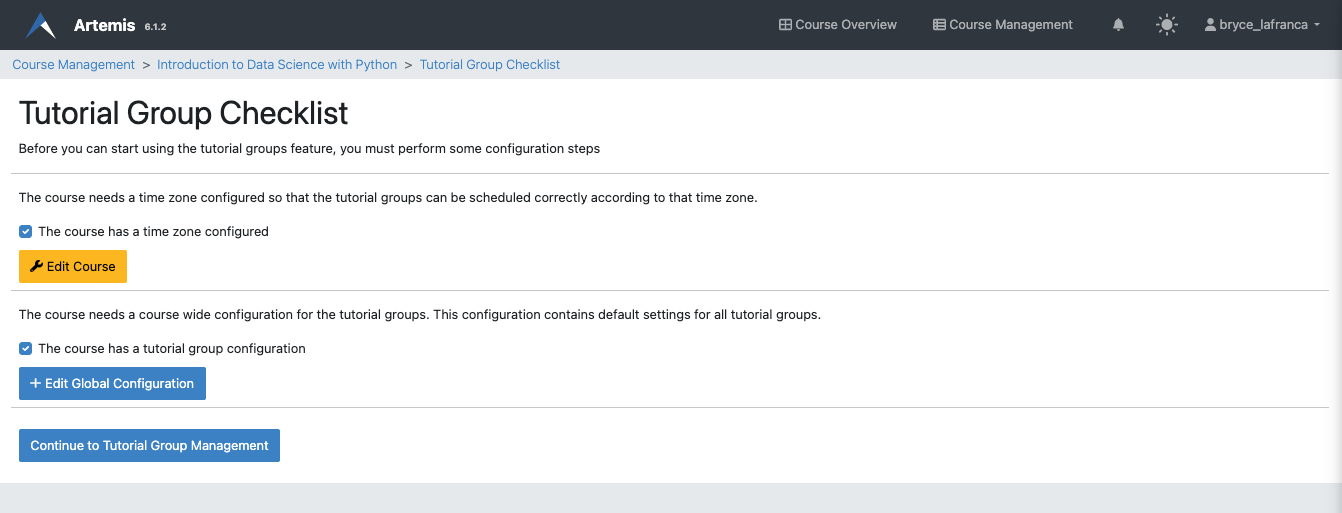
If not all of these configurations are done, the instructor will see a checklist page with the missing configurations. These configurations can also be changed later in the Global Configuration section of the tutorial group page. A link to this section is hidden behind the More... button.
Creating Tutorial Groups
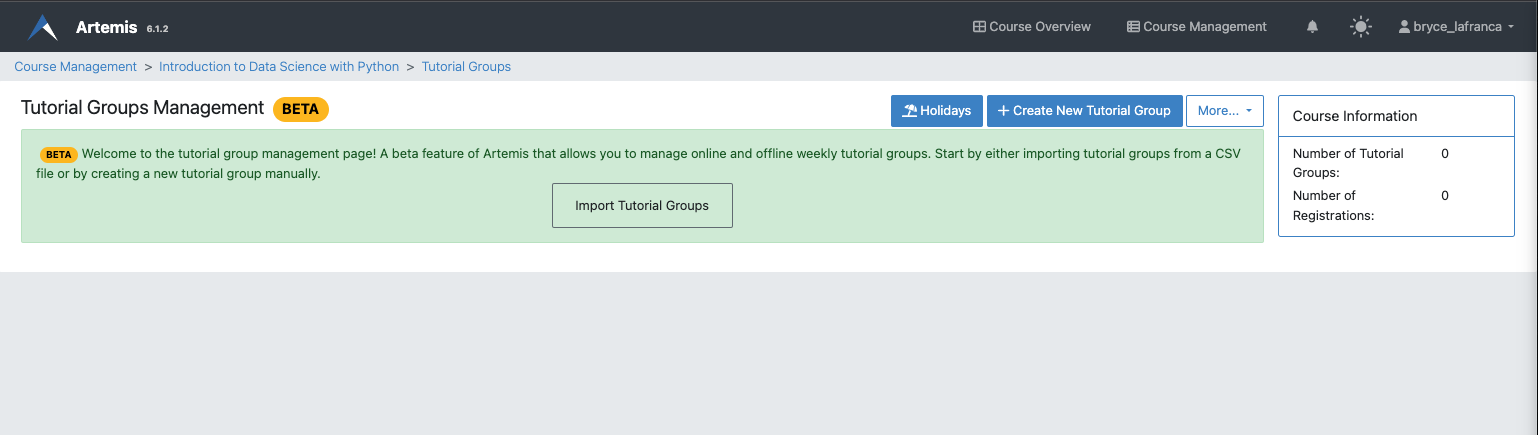
Tutorial groups can be created manually or by importing a CSV file. Importing a CSV file is a convenient option if the tutorial groups and student assignments already exist in a campus management system (e.g. TUM-Online). This way, both the groups and the assignments (student to tutorial group) can be created at once.
The assigned tutor and the session schedule are the most important settings of a tutorial group. The tutor holds the sessions, tracks the number of attending students, and gives feedback to the students. The tutor can also register or unregister students and edit the sessions by cancelling or rescheduling them. The meeting schedule shows the regular times of the sessions during the semester. It is used to create the individual sessions automatically.


Defining Tutorial Group Free Days
By clicking on the Holidays button, the instructor can define course-wide days where no tutorial group sessions are held (no matter which tutorial group). If such a day overlaps with a tutorial group session, the session is automatically cancelled and the holiday given as the reason.

Managing Tutorial Groups as a Tutor
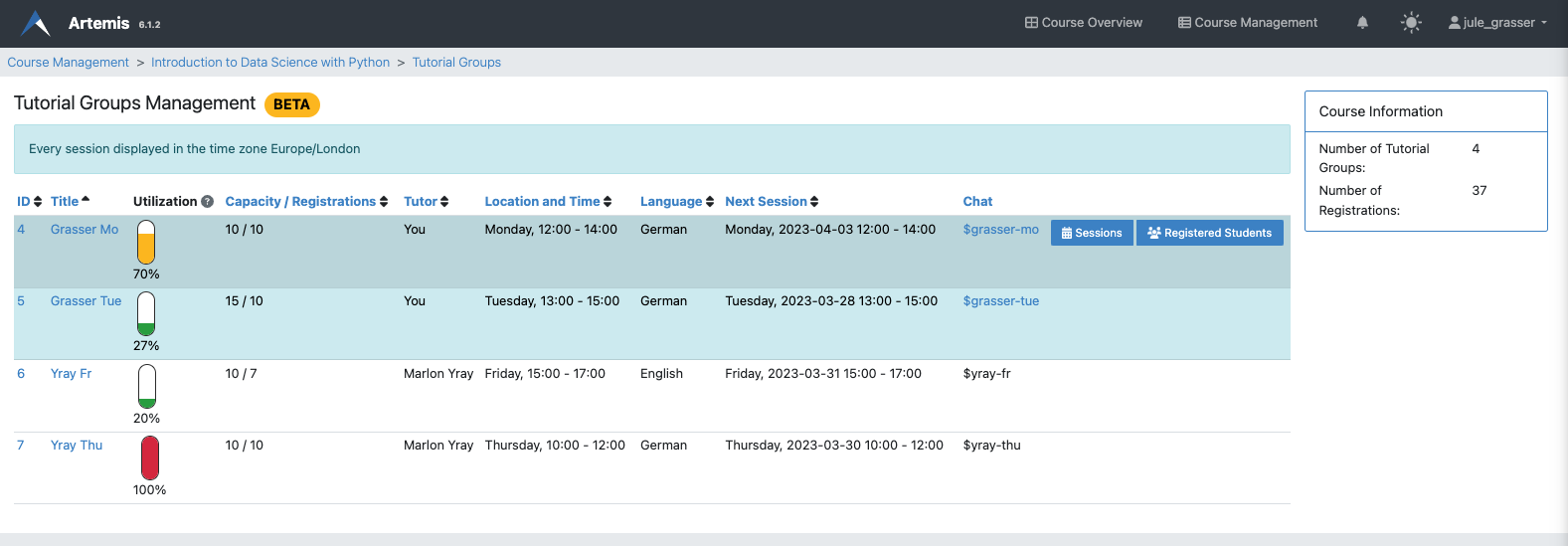
Assigned tutors can manage their tutorial groups by navigating to the course's Tutorial Groups page in the course administration section. The tutor can view the group's details, register or unregister students, and edit the sessions by cancelling or rescheduling them. The tutor also has moderation rights in the tutorial group's channel in the Messages section of the course if the Artemis managed tutorial group channels feature is enabled in the tutorial group settings.
The groups for which the tutor is responsible have a blue background.
Managing the Registration of a Tutorial Group
By clicking on the Registered Students button, the tutor can view the list of students that are registered for the tutorial group. From this list, the tutor can register or unregister students for the tutorial group. Only users that are enrolled in the course can be registered for a tutorial group.

Managing the Sessions of a Tutorial Group
By clicking on the Sessions button, the tutor can view the list of sessions that are scheduled for the tutorial group. From this list, the tutor can cancel or reschedule sessions. The tutor can also create new sessions by clicking on the Create New Tutorial Group Session button. Furthermore, the tutor can enter the number of attending students for each session. This information is used to calculate the utilization of the tutorial group.
