Course Requests
Only Artemis administrators can create courses. As an instructor, you can request a new course through the built-in course request form. Navigate to the course request page (e.g. https://artemis.tum.de/course-requests) and fill out the required information.
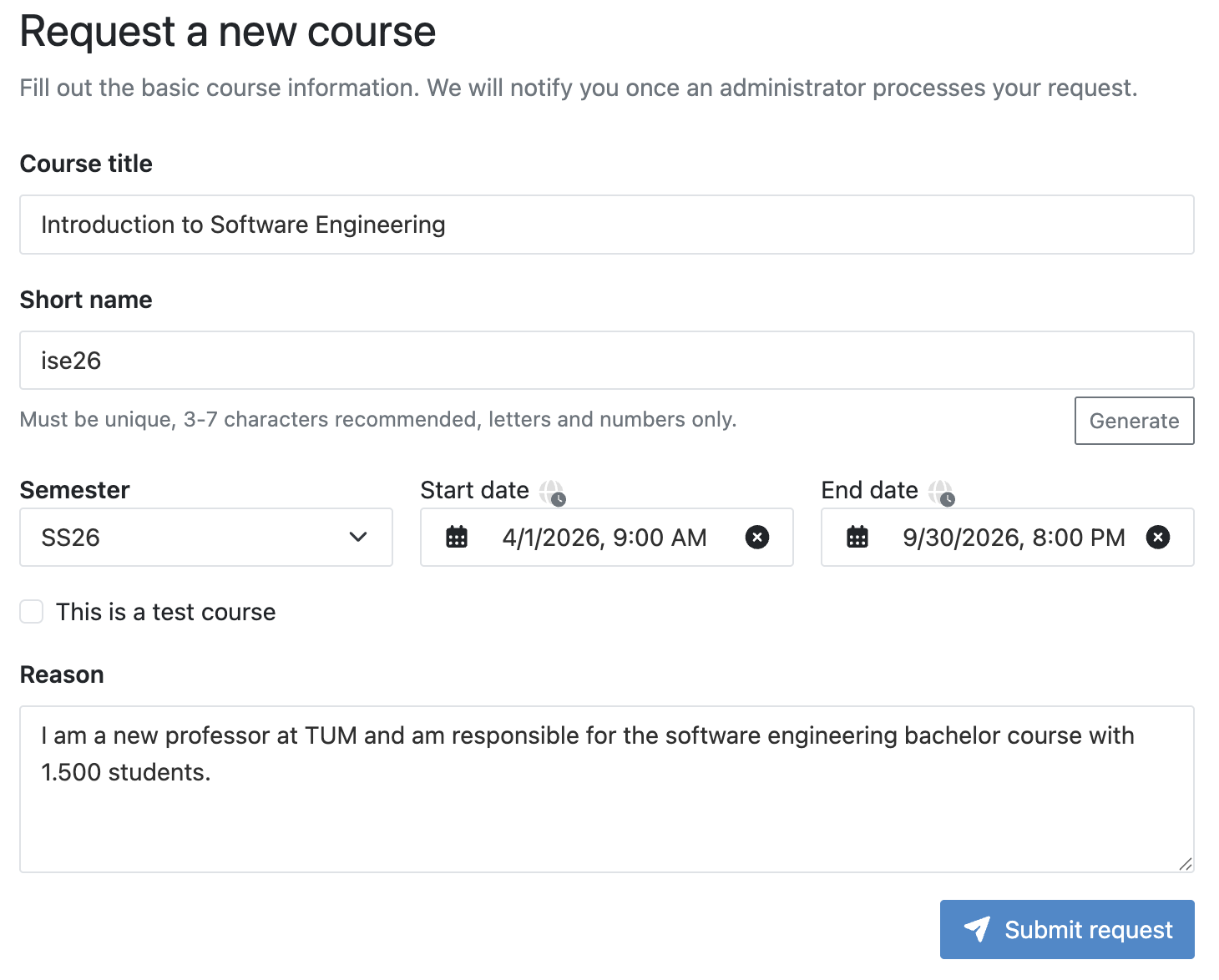
The form requires the following fields:
- Course title: The full name of your course as it will appear to students.
- Short name: A unique identifier for the course (3-7 characters, letters and numbers only). You can use the Generate button to create one automatically.
- Semester: Select the semester for the course (e.g. WS25 or SS26).
- Start date and End date: Define when the course is active (can be empty).
- This is a test course: Check this box if the course is only for testing purposes.
- This course is grade-relevant: Check this box if the results of the course count towards official grades or exam records. It is checked by default and determines how long student data is kept before it is deleted (see Data Retention). Uncheck it for courses that are not grade-relevant. A test course is never grade-relevant, so the box is shown unchecked and disabled while This is a test course is checked. For a regular course, you can change the setting later in the course settings.
- Reason: Briefly explain why you need the course and provide relevant context, such as the number of expected students.
After submitting the request, an Artemis administrator will review it within a few working days. Once the request is accepted, you will receive an email notification with a direct link to your new course. From there, you can start configuring it and adding content.